Learn how to make money by selling AI-powered marketing templates online. Explore platforms, strategies, and trends for 2025 success.

Proven Ways to Sell AI-Powered Marketing Templates Online in 2025
Create, package and scale AI-driven marketing templates — for ads, funnels, email, social, thumbnails and more. Step-by-step playbook with prompts, pricing, marketplaces, SOPs, and a 90-day blueprint.
Short promise: Follow this guide and you’ll be able to design repeatable templates, sell them as products and services, and build predictable income streams this quarter.
Introduction
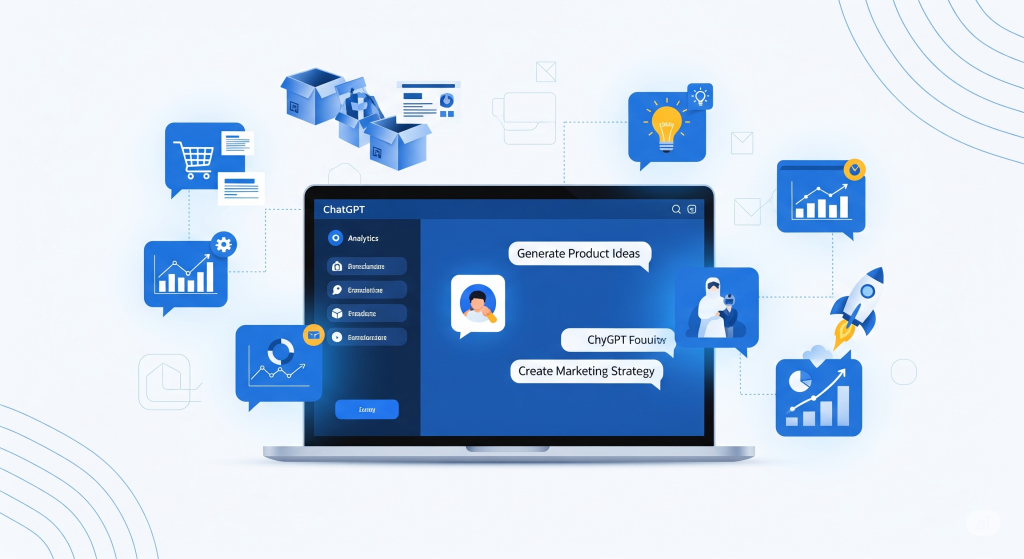
AI in 2025 is not just a novelty — it’s a productivity multiplier. Creators, freelancers, and small agencies are packaging AI workflows into reusable templates that customers can buy and deploy instantly. The sweet spot: marketing templates that solve real pain points (ad copy + creatives, email funnels, social calendars, thumbnail packs, landing page copy, analytics dashboards) and reduce the time to execute from days to minutes.
This guide is for makers who want to design sellable, high-value templates and for freelancers who want to productize services into passive revenue. You’ll get exact prompts, process checklists, pricing playbooks, marketplace tactics, and growth strategies that work in 2025.
Why AI Templates Sell in 2025
Several forces combine to create a huge opportunity:
- Demand for speed: marketers want assets fast — templates reduce turnaround time and cost.
- Repeatability: templates turn bespoke work into repeatable products (higher margin than custom gigs).
- Scalability: one template can be sold hundreds or thousands of times across platforms.
- Bundling power: templates pair well with services, subscriptions, and digital courses.
- Low technical barrier: with AI, creators can generate copy, images, and layouts without large teams.
Templates are the best stepping stone between freelance services and product business. You can start with DFY clients and quickly spin off top-performing workflows into passive products.
Types of AI-Powered Marketing Templates You Can Sell
Choose 2–3 template families to start. Here are the high-demand categories and why buyers pay:
1. Ad Copy + Creative Packs
Includes headline variants, primary text, CTAs, and matching images/video prompts or generated assets. Buyers: D2C brands, performance agencies.
2. Email Funnels & Sequences
Pre-built welcome sequences, onboarding flows, cart abandonment, win-back, and re-engagement templates — with AI subject line generators.
3. Landing Page Copy + Wireframe Kits
Hero headline + subhead + 5 sections, conversion checklist, and Figma/Canva templates ready to drop into a page builder.
4. Social Content Calendars & Caption Packs
30/60/90-day content calendars with caption variations, hashtags, and design mockups. Great for busy creators and agencies.
5. YouTube Thumbnail & Title Bundles
Thumbnail templates + headline variations + A/B testing plan — target creators who want more CTR. (Cross-sell: our YouTube thumbnail guide.)
6. Chatbot & Lead-Gen Flow Templates
Scripted conversation flows, webhook integrations and prompt packs for common verticals (appointments, quoting, eCommerce). (Cross-sell: chatbot guide.)
7. Analytics & Reporting Dashboards
Pre-built dashboards (Google Sheets / Data Studio) with KPI definitions, automated snapshots and commentary prompts for weekly reports.
8. Printable Marketing Assets
Printables like flyers, posters, zines and cheat-sheets that pair with print-on-demand strategies. (Cross-sell: print blog guide.)
Start with the templates that match your existing skills and audience; a creator with YouTube clients might begin with thumbnail + title packs, while a digital marketer could focus on ad creative bundles.
Toolstack & Comparison — What to Use in 2025
These are practical tools to create templates quickly and professionally.
| Tool | Primary Use | Why it matters | Notes |
|---|---|---|---|
| ChatGPT / Claude | Copy generation, prompts, sequence writing | Fast, high-quality text for emails, ads, and landing pages | Fine-tune prompts; post-edit for voice |
| Canva Pro / Figma | Design & templating | Non-designers can assemble professional templates; shareable | Provide editable source files for buyers |
| MidJourney / SD / Firefly | Hero visuals, background images, art direction | Unique visuals for ad creative and templates | Deliver high-res assets and prompt logs |
| Zapier / Make / Pipedream | Automations (lead delivery, onboarding) | Add value by wiring template triggers to buyer tools | Include simple Zap templates as part of the product |
| Shopify / Gumroad / Etsy | Marketplaces & storefronts | Fast to list, built-in customers for digital goods | Price strategically per platform |
| Topaz / Runway | Image enhancement and video editing | Polish visuals for downloads and exports | Offer motion versions as premium add-ons |
| Notion / Readme / Loom | Documentation & onboarding | Good documentation reduces support tickets | Include short Loom walkthroughs |
Combine these tools into a reliable creation pipeline: idea → AI draft → design → packaging → delivery documentation.
How to Create High-Value Templates — Step-by-Step Workflow
Follow this repeatable process to build templates that sell and reduce buyer confusion.
Step 1 — Discover & Validate
- Survey prospective buyers (or analyze competitor listings) to discover what they’re willing to pay for.
- Validate with a small paid pilot: offer 3 clients a template + customization at a discounted price and measure time saved.
Step 2 — Build the Core Template
- Draft copy skeletons with ChatGPT (10 variants for headlines, subject lines, CTAs).
- Generate 6 visual hero concepts with an image model or stock resources.
- Assemble the template in Canva/Figma with clear, editable layers and components.
Step 3 — Add Smart Automation
Include Zapier or Make recipes to plug the template into buyer workflows (example: email template → Mailchimp list → automated welcome sequence). Selling a “template + flow” is much higher value than raw files.
Step 4 — Document & Onboard
Create a short onboarding guide and Loom video showing how to edit and publish. Add example usage cases and copy snippets buyers can paste directly.
Step 5 — Ship & Iterate
List the template in a marketplace and collect feedback. Iterate top sellers into improved versions and bundle expansions.
Packaging, Licensing & Delivery — How to Present Your Template
Good packaging reduces buyer friction and increases perceived value.
What’s included (recommended)
- Editable Canva/Figma source file
- 3 copy variations (short, medium, long)
- Image assets (AI prompt + exported PNGs, or MidJourney prompt + seeds)
- Zapier/Make recipe (if automation included)
- Installation & quick-start Loom (3–5 minutes)
- License terms + support details
License types
- Personal: single user, no commercial resale
- Business: up to X clients or seats
- Agency/Reseller: white-label rights for agencies (higher price)
Delivery formats
Provide ZIP downloads: source files, quick guide PDF, asset folder, and prompt logs. For SaaS templates, provide installation link and optional setup service.
Best Marketplaces & Where to Sell Your Templates
Choose platforms that match buyer intent — some are better for passive sales, others for higher-ticket agency bundles.
Marketplaces for passive sales
- Etsy: great for Canva templates, printable marketing assets and small businesses in India — easy discovery.
- Creative Market / Envato: design-savvy buyers who appreciate polished templates and licensing clarity.
- Gumroad / Sellfy: direct sales with flexible pricing; good for building a mailing list.
- Shopify Digital Downloads: for creators who already run a store and want to cross-sell templates.
Marketplaces & channels for higher-ticket products
- Product Hunt: launch attention for a unique template bundle or micro-SaaS
- Fiverr / Upwork: sell customization gigs linked to template purchases
- Agency partnerships: white-label bundles for agencies and freelancers
Pro tip: list the same product on 2–3 channels (e.g., Etsy + Gumroad) to diversify exposure, but keep pricing consistent or staggered (marketplace fees vs direct benefits).
Pricing Strategies & Models
Price for value, not time. Templates that save an agency hours or reliably increase conversions can command premium prices.
Common pricing bands
- Low-ticket: ₹299–₹999 (simple Canva templates, printable assets)
- Mid-ticket: ₹1,499–₹4,999 (email sequences, ad copy + image packs)
- High-ticket: ₹9,999–₹49,999 (agency-ready bundles, white-label rights, and automation flows)
- SaaS / Subscription: ₹499–₹5,999/mo for hosted template libraries and auto-generation credits
Price anchoring & bundles
- Create a “Starter”, “Growth”, and “Agency” tier to anchor higher tiers.
- Use time-limited launch pricing and list price to show perceived savings.
- Bundle templates (ad pack + copy + 30 social posts) to increase AOV.
Discounts & promos
Offer coupon codes to your email list, run limited-time sales on marketplaces, and give small discounts for buyers who share a screenshot of their results (social proof loop).
Case Studies — Real Examples You Can Copy
Case Study 1 — “AdKit Pro” (Ad Creative Templates)
Product: 50 ad copy variations + 20 image prompts + Canva ad templates targeting D2C health brands.
Go-to-market: launched on Gumroad + targeted Facebook groups, offered 5 customizations for early buyers as social proof.
Results: 350 sales in 3 months at ₹1,299 avg → ₹4.5L revenue; 10 buyers converted to agency retainer work (higher LTV).
Why it worked: Niche focus (health D2C), included simple analytics checklist to track ad win rates.
Case Study 2 — “Email Onboard” (Email Sequences)
Product: bundle of 8 onboarding sequences (Shopify-specific) with Zapier recipes and A/B subject line packs.
Go-to-market: organic Shopify forums + partnerships with email agencies for white-label resells.
Results: recurring sales + multiple resellers; average one-off sale ₹3,999, monthly reseller revenue per partner ~₹12,000.
Why it worked: immediate time-to-value and automation recipes reduced friction for non-technical buyers.
Case Study 3 — “YouTube Boost Pack” (Thumbnail & Title Bundle)
Product: a pack containing 30 thumbnail templates (Canva), 90 headline variants (ChatGPT) and a testing plan PDF.
Go-to-market: sold on Etsy and cross-promoted via short YouTube tutorials showing CTR gains.
Results: 450 sales in six months, with a small retainer service for creators leading to agency contracts.
Why it worked: creators value measurable CTR improvements — offering a test plan made the product tangible.
Replicate these patterns: niche + measurable outcome + low-friction automation = quicker sales and higher conversion.
Marketing & Launching Templates — Tactics That Convert
1) Launch Sequence
- Pre-launch: collect early interest with a short landing page and email capture.
- Launch: limited-time discount + case study + social proof.
- Post-launch: drip value emails showing how to use templates and real results.
2) Content That Sells
- Show before/after case studies (e.g., ad CTR improvement)
- Short tutorial videos (1–3 mins) demonstrating template setup
- Share prompt logs and explain how buyers can adapt templates
3) Partnerships & Affiliates
Offer 20–40% affiliate commission to creators and agencies who refer buyers. Provide ready-made promo assets and demo accounts.
4) Paid Ads & SEO
Run small ads optimized for purchase intent (e.g., “Canva thumbnail templates”). Invest first in SEO-rich blog posts that rank for buyer intent keywords.
5) Community & Marketplaces
Participate in Facebook groups, Reddit, Indie Hackers, and niche Slack communities — share value, not spam. Marketplaces like Etsy bring organic buyers with search intent.
Scaling: Productize, SaaS & Bundles
Scaling templates can move across three tracks:
Track A — Product Ladder
- Single template → template pack → subscription library → enterprise license
- Use revenue to fund new template verticals and paid acquisition
Track B — Turn Templates into a SaaS
Build a simple web app that auto-generates variants (copy + imagery) based on a few inputs (brand name, tone, CTA). Charge on credits or subscription. Many initial buyers from your template customers convert to SaaS.
Track C — Services Funnel
Use templates to attract buyers, then offer customization as a higher-ticket service. This hybrid model funds product improvements and provides case studies to drive sales.
The safest scaling path: start with DFY + marketplace sales, reinvest into productization, and then build a small SaaS once demand is validated.
Operations, Support & Automation
Operations matter when selling digital products at scale.
Support Tiers
- Free docs + one Loom tutorial
- Email support within 48 hours (standard)
- Paid support/installation service (fast turnaround)
Automation Suggestions
- Auto-deliver purchase via Gumroad or Shopify digital downloads
- Trigger onboarding email sequence with videos and templates
- Collect buyer feedback with short surveys (Google Forms / Typeform)
Versioning & Upgrades
Keep template versions and changelog; offer discount upgrades to previous buyers when major improvements release.
Legal, IP & Ethical Checklist
- Document AI prompt provenance if you use model-generated assets (save prompts and seed values)
- Respect image model policies — avoid generating infringing or trademarked art for resale without proper rights
- Provide clear licensing terms and restrict resale or redistribution where appropriate
- Offer refunds policy and limit liability (standard digital goods clauses)
Prompts & Template Creation SOPs (Copy-Paste Ready)
Ad Copy Generator Prompt (ChatGPT)
You are a conversion copywriter. Given [Product], [Audience], [Benefit], generate 12 ad headline variants (short), 6 primary texts (90–120 chars), 6 CTA options, and 3 angle suggestions (social proof, scarcity, problem/solution). Provide 2 suggested UGC brief templates for creators to record.
Email Welcome Sequence Prompt
Write a 5-email welcome sequence for a lifestyle brand. Include subject lines, preheaders, 150–250 word body, and a recommended CTA for each email. Tone: friendly, authoritative. Add a short strategy note for A/B testing subject lines.
Canva Template Creation SOP
• Create master brand colors & styles
• Use components for headlines, CTA buttons
• Replace images with placeholders & layer names
• Add 'How to edit' page at the start of the file
• Export: PNG+PDF + share link with 'can edit' if buyer has Pro
Zapier Recipe (Lead → Email Sequence)
Trigger: Buyer purchases template on Gumroad
Action 1: Add buyer to Mailchimp list "Template Buyers"
Action 2: Send onboarding email with download link and Loom walkthrough
Action 3: Create Trello card for VIP handoff if buyer selected installation add-on
Recommended Daily Routine for Template Creators
- 9:00–9:30 — Sales & orders check, urgent support tickets
- 9:30–12:00 — Product creation block (copy + visuals)
- 12:00–13:00 — Marketing (content creation, short videos)
- 13:00–15:00 — Packaging & documentation (Loom + readme)
- 15:00–16:30 — Outreach & partnerships
- 16:30–17:00 — Plan next day, backlog grooming
90-Day Roadmap — From Idea to First ₹1L Revenue
Days 1–7: Research & Prototype
- Pick 1 niche and a template family (e.g., Shopify abandonment email + Zap recipe)
- Create 3 pilot templates and a short Loom onboarding video
- List on Etsy/Gumroad and collect early interest
Days 8–30: Launch & Optimize
- Run a small launch to your email list and niche communities
- Collect feedback, refine copy and assets, add automation recipe
- Get at least 25 sales or 5 custom clients
Days 31–60: Scale & Diversify
- Create complementary templates (ad pack, social calendar)
- Start affiliate program for creators
- Test small ad campaigns on Pinterest/Etsy
Days 61–90: Productize & Upsell
- Bundle top sellers into a “Growth Pack” and price to increase AOV
- Offer white-label/per agency license and land first reseller
- Prepare a micro-SaaS spec if recurring generation demand exists
Expected outcome: ₹1L+ revenue is realistic with 2–3 high-performing templates and small paid promotion or reseller partnerships.
Relevant TrendVibz Internal Links (Cross-Sell Opportunities)
- How AI Can Help You Start a Print Blog Business — bundle printable marketing assets with your templates.
- Earn Money with AI-Powered Tools for Businesses — productize templates into tools and automations.
- AI Tools for YouTube Thumbnail Creation — create thumbnail template packs and cross-promote.
- Amazing Guide: How to Make ₹2000 Daily with AI Chatbots — sell chatbot lead-gen templates and scripts as part of your offerings.
Final Action Plan — Ship Your First Template This Week
- Pick one template type and one niche (e.g., Shopify cart recovery emails for Indian D2C).
- Create a single high-quality sample using AI for copy and Canva for design.
- Record a 3-minute Loom showing how to install and edit the template.
- List on Gumroad & Etsy, promote in 3 niche communities, and do direct outreach to 20 prospective buyers.
- Collect feedback and turn the top 5 requests into an expanded pack or paid custom add-on.
Remember: The fastest path to profit is to sell first, then perfect. Use DFY pilots to validate, then productize the repeatable parts into templates and bundles.